Pages

Saturday, November 13, 2010

start to develop android applications

for developing android application you need download android sdk and eclipse and adt plugin .then create a sample project,when you run your applications it show your  result on simulator.
androidsimulator
result is something like this

androidsimulator2
now you want change string .Android application main language is java but coding is different from normal java mobile  program;you have main class that open main.xml file  in   layout folder.This xml file have LinearLayout,and textview nudes.in in textview nude you see this code:android:text="@string/hello" that define some values that contained in values folder .Its names is hello .change string and run it again.just this!Winking smilemore comes in next posts
resource:android developer guide

Monday, November 8, 2010

using keys in your games

images

when you want use keys  you should noticed that have many function

like keyPressed(int keyCode),keyReleased(int keyCode) ,keyRepeated(int keyCode) if you want use all of them should have something for control number of key pressing and releasing and repeating. with this code detect which key is pressed

int gameAction = getGameAction(keyCode);
switch(gameAction){
case UP:
key= "[UP]";
break;
case DOWN:
key= "[DOWN]";
break;
case LEFT:
key= "[LEFT]";
break;
case RIGHT:
key= "[RIGHT]";
break;
case FIRE:
key= "[FIRE]";
break;
case GAME_A:
message = "[LEFT_UP]";
break;
case GAME_B:
message = "[RIGHT_UP]";
break;
case GAME_C:
key= "[LEFT_DOWN]";
break;
case GAME_D:
key= "[RIGHT_DOWN]";
break;
default:
key= "";
break;

you can add all of code in same function.then define value like speed; we assume that in our game when you continue on  key press you have more speed so add this code after detect key “speed++”;But after checking speed in real device you see that you object move slower than emulator.it  because that device can’t process graphic like computer and emulator.You have to use timer functions and class in your games or using smaller graphic file in next post you see how do that


Tuesday, November 2, 2010

developing java touch games


iphone-finger-game

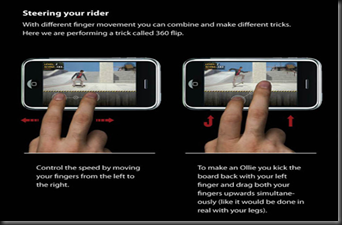
In game canvas you can detect keys and touch and using graphic function.Canvas have pre defined functions .For using touch in your game you have three function

protected  void pointerDragged(int x, int y) 
protected  void pointerPressed(int x, int y)
protected  void pointerReleased(int x, int y)

they are active when you dragged or pressed or released your finger(or pen) on your device.X and Y is place of your finger or pen.If you want same action for all of function you can define another function like this

public void doyouraction(int x,int y)
{

//add your code here

// you can change your function name(doyouraction)

}

in other hand you should have deferent code or functions

{} are keyword for define start and end of your codes.Public means that you can use your function in other class ,if you don’t want use private instead.After coding function use it with this codes

protected  void pointerDragged(int x, int y) 

{

doyouraction(int x,int y) ;
}

just this,in next post you’ll see infoo about detect keys and code for them

linkwithin

Related Posts Plugin for WordPress, Blogger...