Pages

Showing posts with label elipse. Show all posts

Saturday, November 13, 2010

start to develop android application

for developing android application you need download android sdk and eclipse and adt plugin .then create a sample project,when you run your applications it show your  result on simulator.

androidsimulator

result is something like this


androidsimulator2

now you want change string .Android application main language is java but coding is different from normal java mobile  program;you have main class that open main.xml file  in   layout folder.This xml file have LinearLayout,and textview nudes.in in textview nude you see this code:android:text="@string/hello" that define some values that contained in values folder .Its names is hello .change string and run it again.just this!Winking smilemore comes in next posts

resource:android developer guide

Saturday, October 16, 2010

about objects in your game(in Android)

  Game contains objects and environment and you should now how coding them.They are defined by class keyword .see this code for example

package com.example.helloandroid;

import android.app.Activity;

import android.os.Bundle;

import android.widget.TextView;

public class HelloAndroid extends Activity

{

/** Called when the activity is first created.

*/ @Override

  public void onCreate(Bundle savedInstanceState)

  {

  super.onCreate(savedInstanceState);

TextView tv =  new TextView (this)tv.setText("Hello, Android"); setContentView (tv);

}

}

this is sample code for showing hello word in android( get from here)

Package contains you project content.For running your project in ide you should add required codes.Import keyword using for add this code.Public means that your object is visible to project or package.helloAndroid is your main project(environment) and onCreate is function of objects that used to create a text in device(i’ll describe code later,see source for some help for now).Your code can be changed on base of your algorithm. Your algorithm can be like this :

1.add codes for running games

2.create  HelloAndroid environment(project)

3.set text “hello, Android”

4.show them

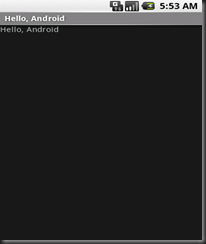
Now you can add a line to algorithm “set text when you clicked on 5” and change code also.For now is sufficient ,I’ll describe more in following posts.For coding using eclipse and adt plugin and android sdk  and run your project and see result like this
hello_world_5

Thursday, September 16, 2010

Which tools you use for create mobile games?


        Ok first you should know tools that used .  There is so many tools you can use for create mobile   games.But three of them are most important than others.Everyone have some profit and loose to others  and on base of your needs can use one of them.

1.NETBEANS

netbeans691

Netbeans is oracle tool for java programming(windows and mobile and..).Oracle bought  java and Netbeans from sun company .Netbeans

have visual library.It means that for create some tools like web tool and windows form you can drag library like button and forms and textbox and..to your program without code.But It can’t use for some mobile 3d games.

2.Eclipse

Eclipse is ibm tool for for java programming.Andriod officially support eclipse(not netbeans because oracle and google problem).Netbeans have also plugin for android but isn’t officially supported.Eclipse ide have also better plugin support from netbeans.

eclipse


3.microsot visual studio(express have no mobile support)

Best to for windows mobile programming but no java mobile support

visualstudio

now ready for programming!

linkwithin

Related Posts Plugin for WordPress, Blogger...